

The Shannon Update acknowledges that research is not just written words. Figures, diagrams, and plots often hold insights that text alone cannot convey. Now, these visual elements are part of your PDFs in scienceOS. When a PDF has been processed with OCR+, the AI can “see” the figures, making them accessible for conversation and analysis.
You can now ask questions directly about figures, from a single chart to a complex table. Whether the PDF is yours or part of a shared project, the AI interprets the visuals, helping you uncover patterns, extract meaning, and explore insights that were previously hidden within these elements.
What is OCR+?
Users on the Angel, Team, and Institution plans can extract information from scanned PDFs, handwritten notes, figures, and tables using OCR+. PDFs that have been processed with OCR+ are marked as PDF+. Previously uploaded PDFs have not been been reprocessed with OCR+ automatically. To reprocess an old PDF, either reupload the PDF to scienceOS or select the source in your library or chat, and click on the reupload message.
Capturing the full meaning
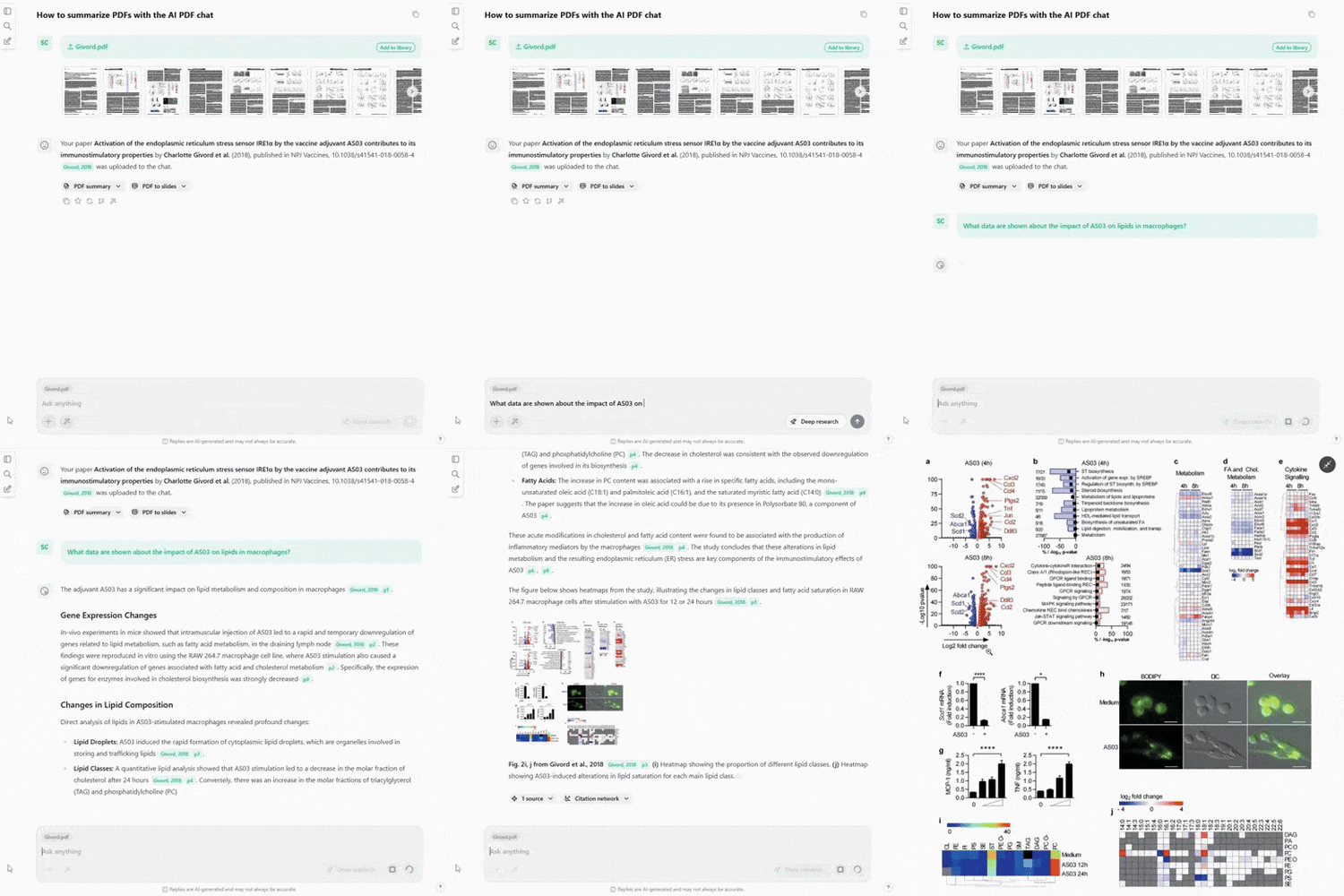
Chat with your OCR+ processed PDFs to get answers featuring relevant figures.
(Answers based on figures requires a paid plan.)
Understanding complex figures

Ask questions about figures to understand the data in context of your research.
(Asking questions to figures requires a paid plan.)
Why Shannon Update?
This update of scienceOS is dedicated to Claude Elwood Shannon, who laid the foundations of information theory and showed how meaningful signals can be extracted from complex, noisy representations. His work transformed diagrams, symbols, and imperfect signals into communicable knowledge.
A major redesignd of the AI research agent.
We conducted a major redesign of the AI research agent. Driven by new AI capabilities and informed by hundreds of interviews with academic researchers in 2025, the goal was to make the agent more helpful, transparent, and intuitive to work with. Not by adding complexity, but by aligning it more closely with how researchers think and work across different research contexts.
- Self-awareness: The AI can now explain how scienceOS works and how its features can support your specific research tasks. You can ask about its capabilities directly or explain your research project to receive more specific guidance.
- Transparency: The agent’s reasoning is now visible through thinking notes, helping you understand how conclusions are reached and building trust in the research process.
- Intuitive behavior: Whether you are working outside or inside of a project, the AI now behaves consistently. This removes the need to understand context-specific limitations and makes it easier to anticipate what the agent can do.
- Stronger agency: With more freedom to plan and strategize, the AI acts as a more capable research collaborator, supporting complex tasks and helping you explore ideas more efficiently.
Try the redesigned AI agent and explore how the new scienceOS can support your research from first question to final insight.
The “Trust in AI” survey.
ScienceOS was developed to assist researchers while respecting their autonomy, expertise, and ethical considerations. We invite you to take a short survey to share how scientists like you experience and trust AI tools such as scienceOS. Your insights are essential for shaping AI that supports rigorous, responsible, and transparent research.
The survey takes 2:45 minutes, and your perspective will directly influence the ongoing development of scienceOS. Take the survey.
Our new institution plan.
We updated our terms of use to introduce our new Institution plan, designed for universities and research organizations that want to provide scienceOS to their researchers and students. The plan features usage-based pricing with an optional maximum spending cap for full cost control, as well as dedicated student licenses.
Institutions that inquire by March 31st 2026 can benefit from a special introductory discount. If you are interested in bringing scienceOS to your institution, we invite you to get in touch to learn more.
Improvements and bug fixes.
We implemented improvements related to (shared) projects, made comfort adjustments, improved the accuracy of the scienceOS AI agent, and fixed some bugs.
Improvements
- Integrated a warning shown when the LLM context is exhausted
- Added “Sort by first author” to library
- Implemented a “Get PDF” button to find and download the full-text PDF
- Moved the PDF tab to the second position
- Provided the AI agent with basic data about the user’s library
- Integrated indicators for applied filters that were used during searching
- Added the possibility to filter by journal name
- Implemented link deduplication for reduced visual clutter
- Simplified the full-screen behavior in PDF viewer
- Integrated support for common HTML tags in AI responses
- Made the PDF viewer header translucent
Bug fixes
- PDFs part of a project could still be added to the project
- Rotated PDFs were not shown correctly
- Non-PDF files could be uploaded to scienceOS
- Sometimes, the cursor did not blink anymore
- After asking a question, the chat bar was no longer in focus
- Paragraphs with $ signs triggered TeX conversion wrongfully
- Zotero import counter did not match number of imported sources
- Reuploading certain PDFs created multiple entries in library
- App would endlessly reload in rare cases
- Slow sign-in
- Slideshows with vertical slides were not shown correctly
- Scroll-to-bottom button was unreliable on mobile devices