
Tutorials for your workflows
Explore how to get the most out of scienceOS with step-by-step tutorials and tips. Learn how the AI research tool can enhance and support your research needs.
-

Checking the bibliography and citation accuracy using an AI research agent. more…
-

Explore how scientists’ trust in scienceOS varies depending on the task at hand. more…
-

Learn how trust is built through transparency, reliability, and support for scientists. more…
-

A practical guide for educators to employ ethical AI in academic education. more…
-
Learn how to prepare your Zotero web library for importing your papers. more…
-

Explore how AI supports collaboration and accessibility of research knowledge. more…
-

Read how to state your AI usage and download our “Use of AI disclosure” template. more…
-

Discover simple and free methods to add, organize, and grow your research paper collections. more…
-

Learn how to integrate an AI research agent in your literature review writing process. more…
-

Projects help organize research, collaborate, and streamline academic work. more…
-

The AI research agent scienceOS can access multiple tools for your research tasks. more…
-

The beginner’s guide to making the most out of the scienceOS AI research agent. more…
-

Consensus analyses help you assess the research impact of a paper in context. more…
-
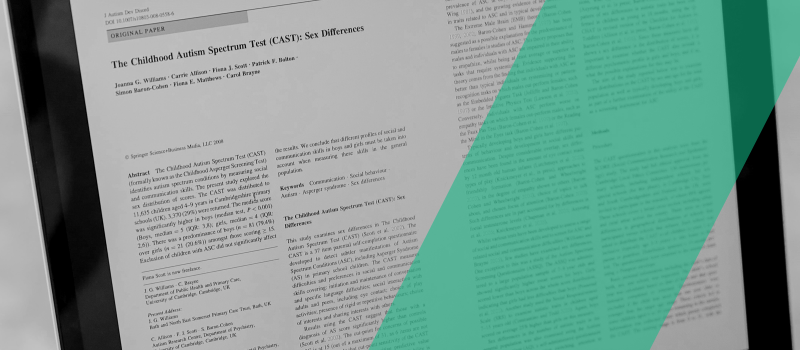
Analyze scientific literature using natural language and an AI PDF reader for free. more…
-

Create citation graphs of related scientific literature with a free AI research agent. more…
-
Create custom AI Actions in scienceOS to automate tasks and streamline workflows. more…
-

Learn how to approach your institution to arrange team or institute licenses. more…
-
Generate one-click summaries of scientific PDF documents with an AI research tool. more…
-

Export your scientific literature database from any reference manager. more…
Find more tutorials here


What scientists ask
Discover answers and insights to questions commonly asked by other researchers.
Which papers does scienceOS know?
The scienceOS paper index is based on more than 240 million research papers from the Semantic Scholar index, along with 1.0 billion full-text snippets and 2.9 billion reference pairs. When you ask a question, the answer is grounded in information like the full text of open access papers, abstracts from closed access papers, and other relevant data from these papers.
How often is the database updated?
The scienceOS paper and citations database is updated on a weekly basis.
Where do you store my data?
We are committed to strict EU data‑residency and processing controls, and provide a fully GDPR-compliant AI research agent. All our AI and machine learning models, as well as your chats, your uploaded files, and your user data are located on servers within the European Union. For holders of Team or Institution plans, we provide a Data Processing Agreement (DPA) upon request, as well as support for meeting the compliance requirements of the EU AI Act.
Does scienceOS train on my data?
Neither user-generated inputs (e.g. your prompts or uploaded files) nor user-generated outputs (e.g. text answers or image files) are used to train new scienceOS AI models.
What happens when I upload a file?
When you upload a file to your scienceOS account, it is stored securely, automatically encrypted, and accessible only to you. If you create a project and add your files to it, you can choose to share access with colleagues and others. People you invite to a shared project can read and interact with your files and may save the file’s metadata (title, abstract, authors, etc.) to their own library. You can also suggest files from your library to be added to shared projects you have been invited to, and choose whether to allow the attached files to be copied and saved to the project owner’s account.
Can I upload any file?
You can upload documents (.pdf, .docx, .doc, .odt, .rtf, .pptx, .ppt, .odp) and spreadsheets (.xlsx, .xls, .csv, .tsv) to your scienceOS account. The maximum file size is 80 MB per file for all supported formats. All users have a storage limit of 1 GB for spreadsheet files in their account.
Page limits for documents depend on your plan: Free and Angel users can process up to 128 pages per document, while Team and Institution users can process up to 1,024 pages per document. Free users can extract text embedded in documents. On paid plans, documents are additionally enriched to extract text from scanned pages and content from figures and tables.
Can I use scienceOS for free?
Yes, you can use scienceOS for free and access our fast AI model. To access our best model and all other features, consider subscribing to our Angel plan.
What is the scienceOS ‘Angel’ plan?
You can subscribe to the scienceOS Angel plan for access to all features of the scienceOS AI research agent. This includes: unlimited use of our fast model, extracting and chatting with figures from your documents, and access to our best model. Funds from Angel plan subscribers are only used to cover costs, develop new tools, and sustain the free plan.
How can I reference scienceOS?
When using scienceOS, it is important to uphold academic integrity. Many journals require authors to disclose AI tools in the methods section or equivalent. We recommend specifying how you used scienceOS – whether for editing, translation, or research – and including the version and link in your description (e.g., scienceOS (November 2026 version), https://www.scienceOS.ai). Including a transcript of your interactions as an appendix can further demonstrate your commitment to transparency.
Download the Use of AI disclosure template or review an example for how other scientists reference scienceOS in their papers.
How can I partner with scienceOS?
We believe in collaboration. If you, your institution, organization, or company would like to work together with scienceOS, please use [email protected] and connect with us. We are excited to discuss how we can work together.