

The Wiener Update introduces a reworked deep research mode to scienceOS. It can now request further input and split complex tasks into internal sub-task workflows.
Scientific questions are rarely clean at the moment they are asked; they tend to evolve as soon as you start working on them. The new deep research mode is designed to follow that evolution, often beginning with a short exchange to better understand your actual intent before any analysis begins.
Depending on what you bring in, the deep research system adjusts how it works with the material. Whether that means conducting a comprehensive literature search, structuring findings from a large set of papers into an evidence table, or carefully cross-checking a manuscript’s citations against the sources you provided.
The result is a single, coherent output that reflects not only the available sources, but also your input along the way: a carefully assembled piece of work you can trust.
Here are three practical ways to use the new deep research mode in your research.
Get a comprehensive overview.
Gaining a reliable overview of a research topic often requires reviewing hundreds of sources, comparing findings, and carefully judging their relevance.
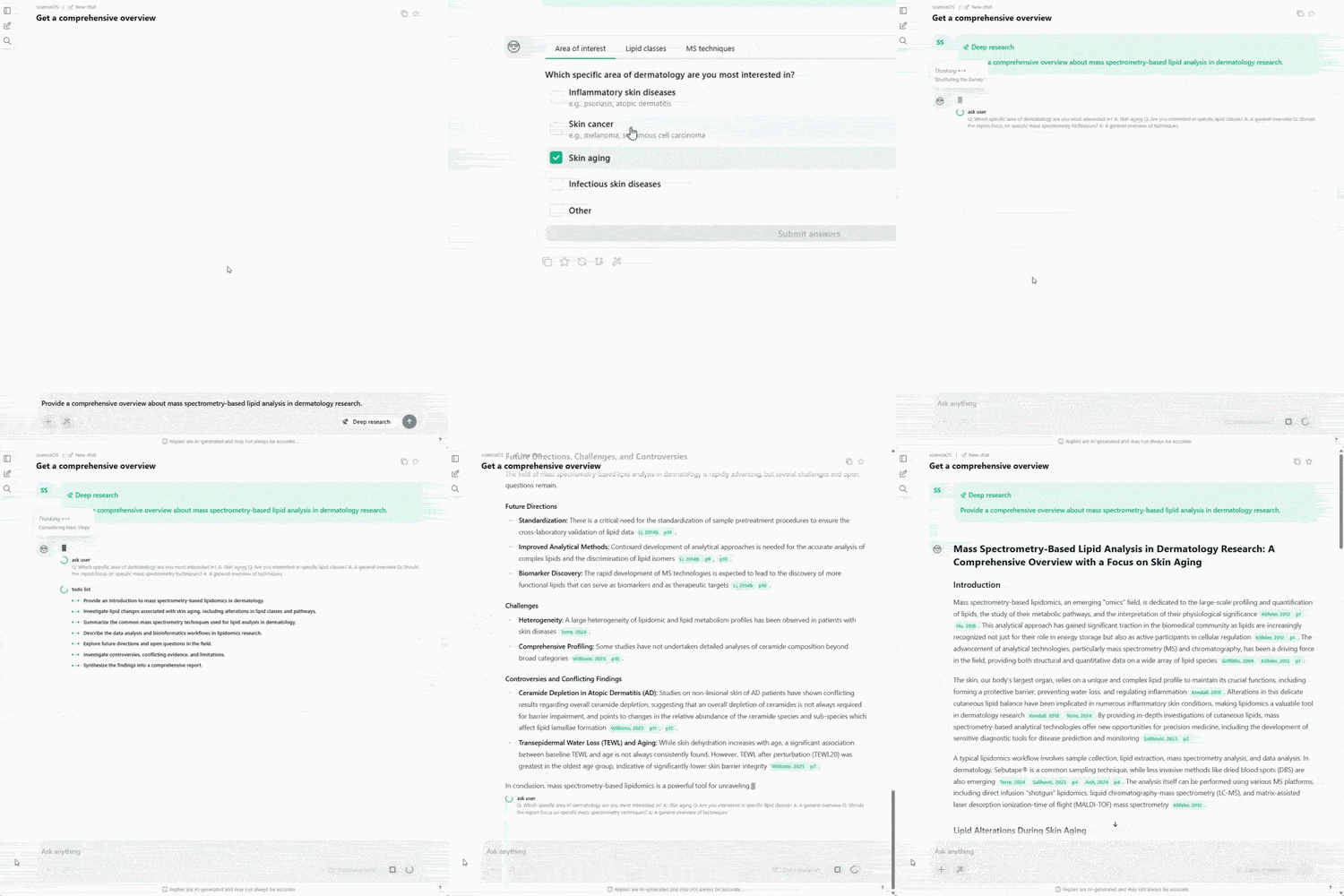
This process is time-consuming, yet essential for building trust in your understanding, avoiding blind spots, and making well-informed research decisions.
Turning this process into a structured approach helps you move from an unfamiliar topic to a first clear map of the key ideas and main directions in the field.
Generate an evidence table from dozens of papers.
Extracting data from many papers is repetitive, slow, and hard to keep consistent across studies. Researchers often need to switch between PDFs and manually check details, which slows down the workflow.
To compare results reliably, researchers must trust that data is extracted in a consistent and traceable way across all sources. Without this, small differences in extraction can lead to extra verification work or weak conclusions.
The deep research process helps apply the same extraction rules across all selected papers and turns them into one evidence table.
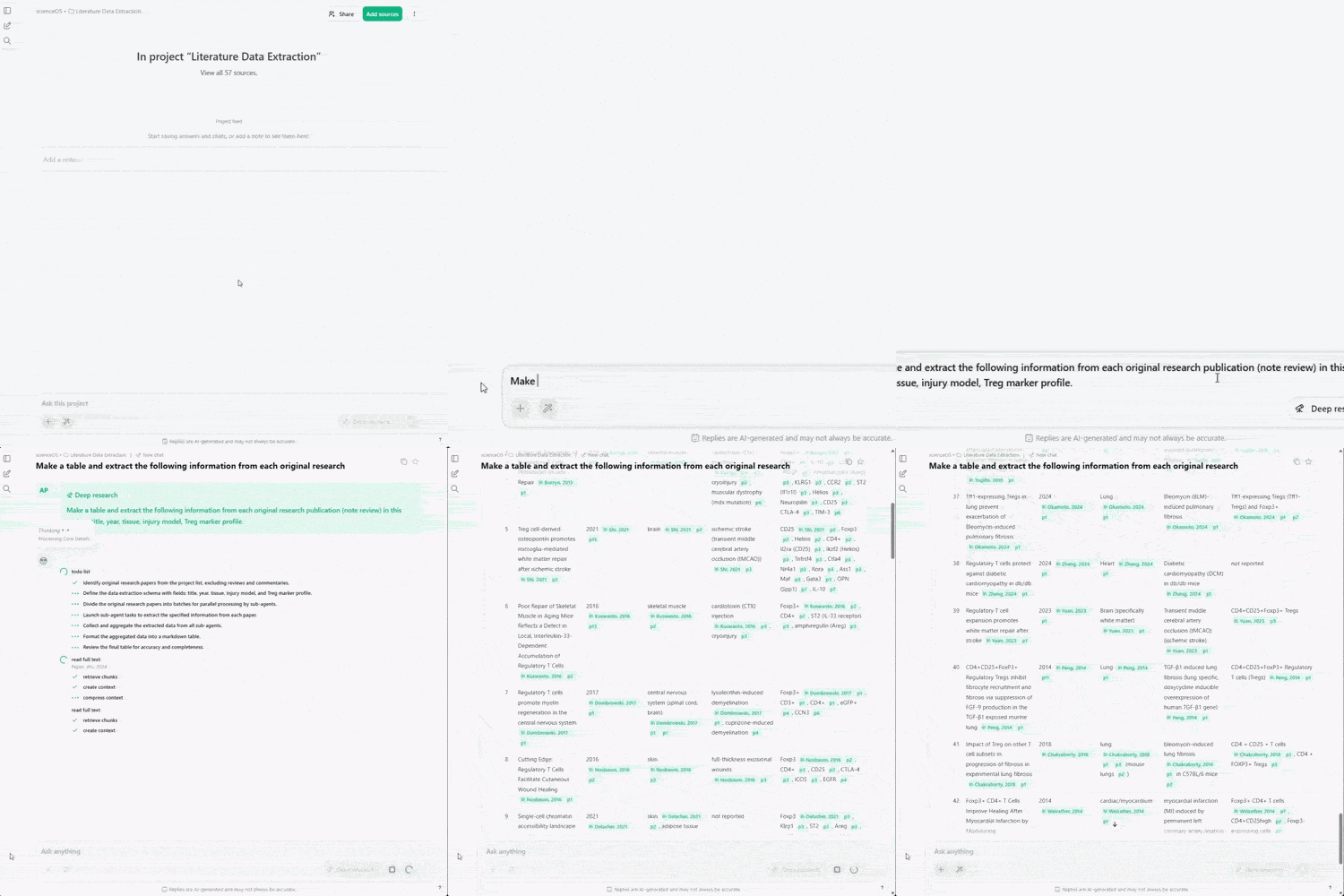
To compare results reliably, researchers must trust that data is extracted in a consistent and traceable way across all sources. Without this, small differences in extraction can lead to extra verification work or weak conclusions.
The deep research process helps apply the same extraction rules across all selected papers and turns them into one evidence table.
Verify the accuracy of citations in your manuscript.
In scientific writing, citation accuracy is essential for maintaining trust, credibility, and transparency in your work, both within your research group and in the broader scientific community.
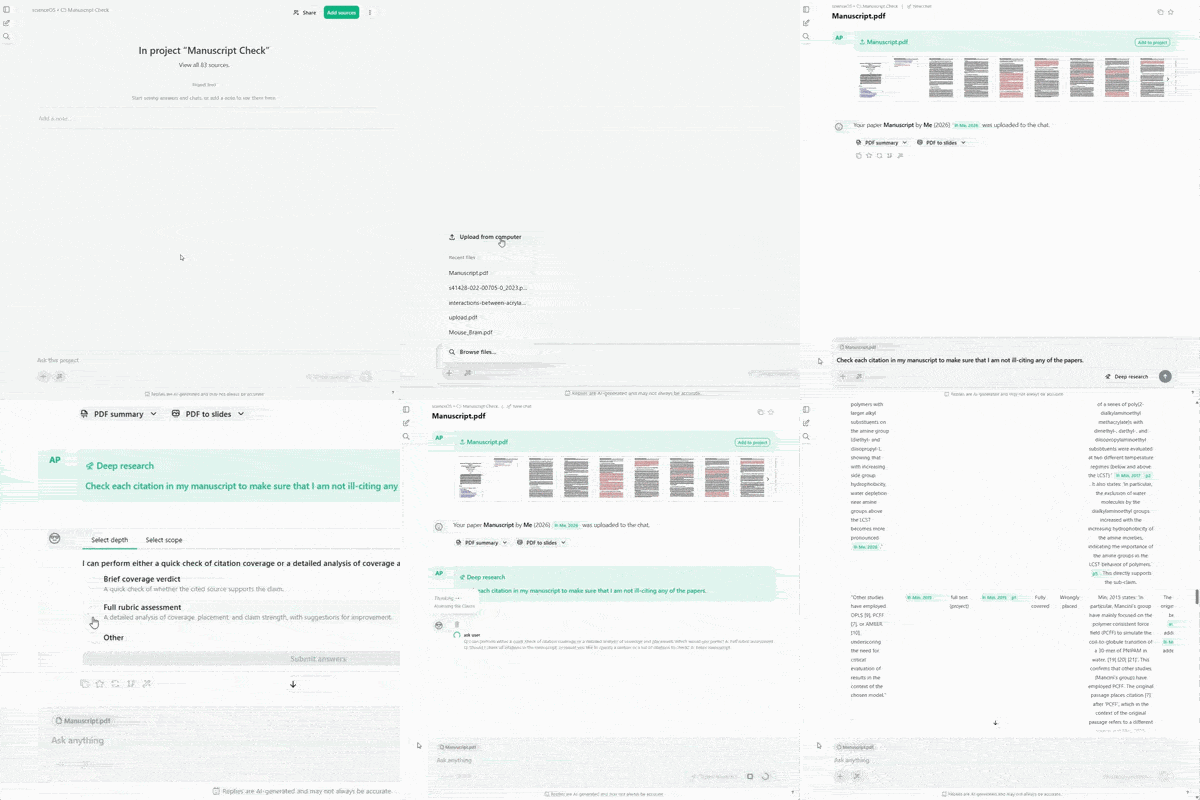
Manually checking each reference against the original sources can be slow, repetitive, and error-prone, especially in longer manuscripts.
A structured workflow helps ensure that every claim is properly supported and that no mismatches between text and references remain before submission.
Why Wiener Update?
This update of scienceOS is dedicated to Norbert Wiener, who framed the term cybernetics as the study of communication and control through feedback. He showed how systems (whether technical or animal) become meaningful through continuous interaction, adjustment, and response.
Edit sources in your library.
You can now edit source metadata directly within your library, including fields such as title, authors, publication date, DOI, and abstract.
Accurate metadata is essential for working effectively with scientific literature. Titles, authors, and publication details are what allow researchers to quickly identify, interpret, and reference sources.
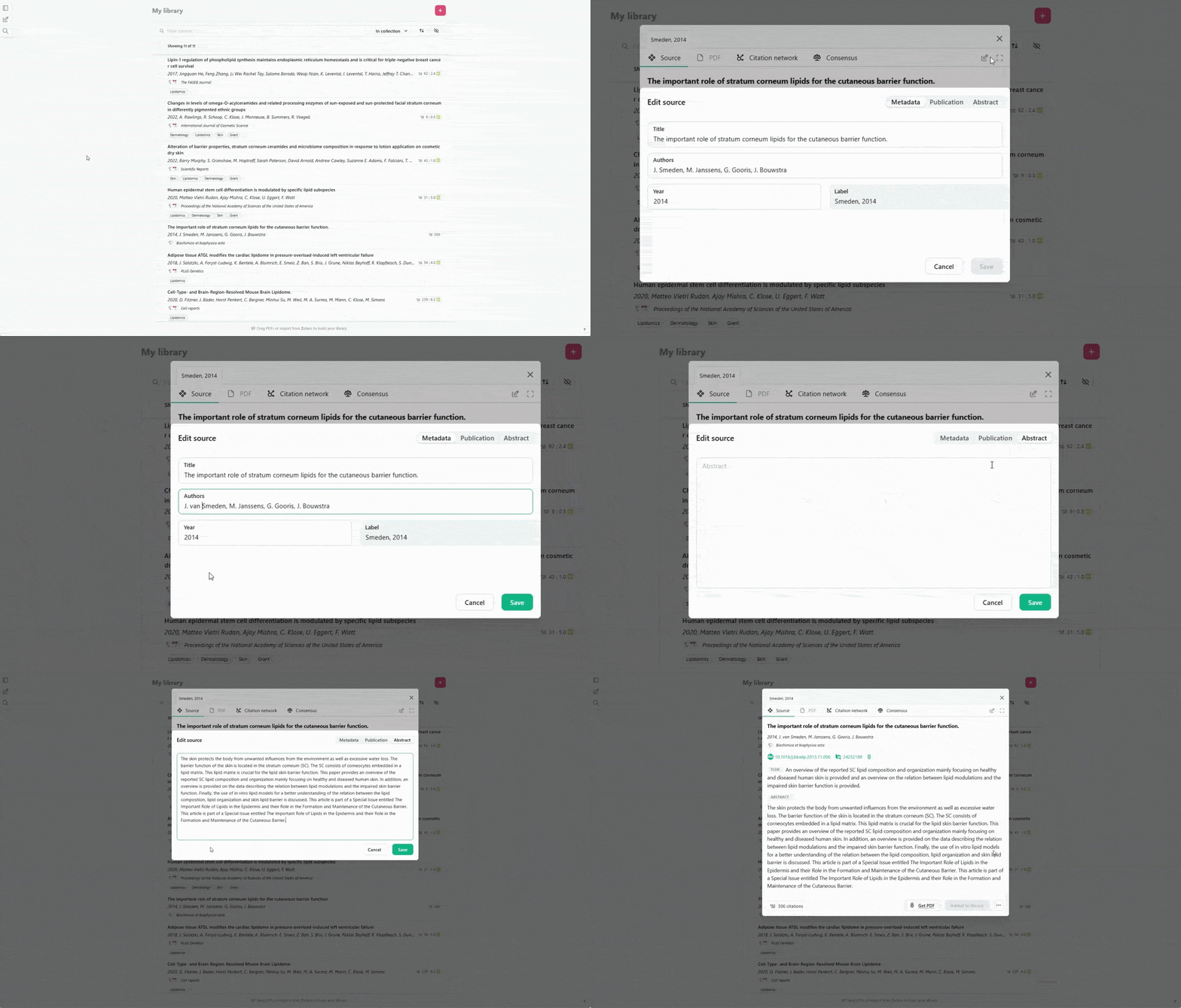
At the same time, incorrect or incomplete metadata (e.g. from extraction errors or edge cases in large databases) can disrupt this process and lead to confusion – especially when citations rely on that information.
This is why you can now edit the metadata for papers stored in your library: to ensure that your sources remain identifiable and that answers generated from them feature citation marks and reference lists as you require them.
Access the results of the ‘Trust in AI’ survey.
We conducted a survey to understand how researchers experience and evaluate trust in AI tools; the results are now available in a published article.
Around the turn of the year, we invited you to take part in our ‘Trust in AI’ survey to better understand how trust in AI systems such as scienceOS is formed in practice. We have now published the findings in a detailed article on our website.
We believe that building AI for science requires a clear understanding of how researchers place and calibrate trust in these systems. The input collected through the survey helps inform how we design scienceOS: with a focus on transparency, reliability, and meaningful human oversight.
Quality-of-life improvements & fixes.
We implemented several quality-of-life improvements, including reduced visual noice, more intuitive navigation and shared source management, and fixed some bugs.
Improvements
- Simplified the left sidebar
- Removed the notification popover over the logo for less disturbance
- Collapsed all entries in the homepage feed to reduce clutter
- Added a link to the library on the app homepage
- Improved visual distinction between chat bar and feed notes
- Allowed all project members to suggest sources to the project
- In a project, clicking on ‘New chat’ does now start a new project chat
- Added breadcrumbs to the chat header for faster navigation
- Citation networks now show metadata as in the user’s library
- Reworked the review gatekeeper that checks the AI’s answers
Fixes
- Fixed a bug where a PDF would not appear in the source popup
- Sometimes, a source in a citation network would open twice
- Stopped the source list from moving around when editing project sources
- Fixed a bug where AI actions with user input variables would break
- Prevented clicking ‘Get PDF’ from creating duplicate library entries
- Sometimes, an uploaded paper would not match despite correct DOI