

As global challenges grow and become more complex, the need for efficient and faster scientific progress has never been more critical. ScienceOS is an AI research agent designed to meet this demand by providing researchers with tools that streamline research workflows, optimize collaboration, and accelerate discovery.
By leveraging AI, scienceOS simplifies time-consuming tasks such as conducting literature reviews, managing references, and organizing research data. From exporting citations to extracting key insights from hundreds of academic papers, scienceOS allows scientists to focus on what truly matters: advancing knowledge and tackling global challenges with greater speed.
This beginner’s guide will help you learn more about the three main features available in scienceOS: the AI science chat, the AI PDF chat, and the AI project manager. The guide will review how each of these enhances your research workflow.
The AI science chat
One of the core components of scienceOS is the science AI chatbot, a free tool designed for scientific conversations. Simply ask a research question, and the AI research agent will retrieve information from 230 M research papers, factoring in aspects such as publication date, SCImago Journal Rank, and citation counts. It will then provide an answer grounded in research papers – including in-text citation markers to study the cited sources.
Create tables and diagrams. A short video showing how the AI science chat answers scientific questions and creates scientific tables and diagrams.
Beyond answering research questions in plain text, the AI research agent can also create tables and diagrams. You may either simply ask for a table or diagram in your prompts or use pre-defined AI Actions such as “Create diagram”.
The AI PDF chat
In addition to general scientific conversations, scienceOS allows you to work directly with your own documents. You can upload up to eight PDFs to a chat. The AI research agent will then base its answers on the PDF files and cite relevant paragraphs, thus reducing time spent reading entire documents.
This is particularly helpful for quickly analyzing research papers, extracting key insights from full-text papers, and comparing publications side by side – uploaded PDFs do not need to be research papers.
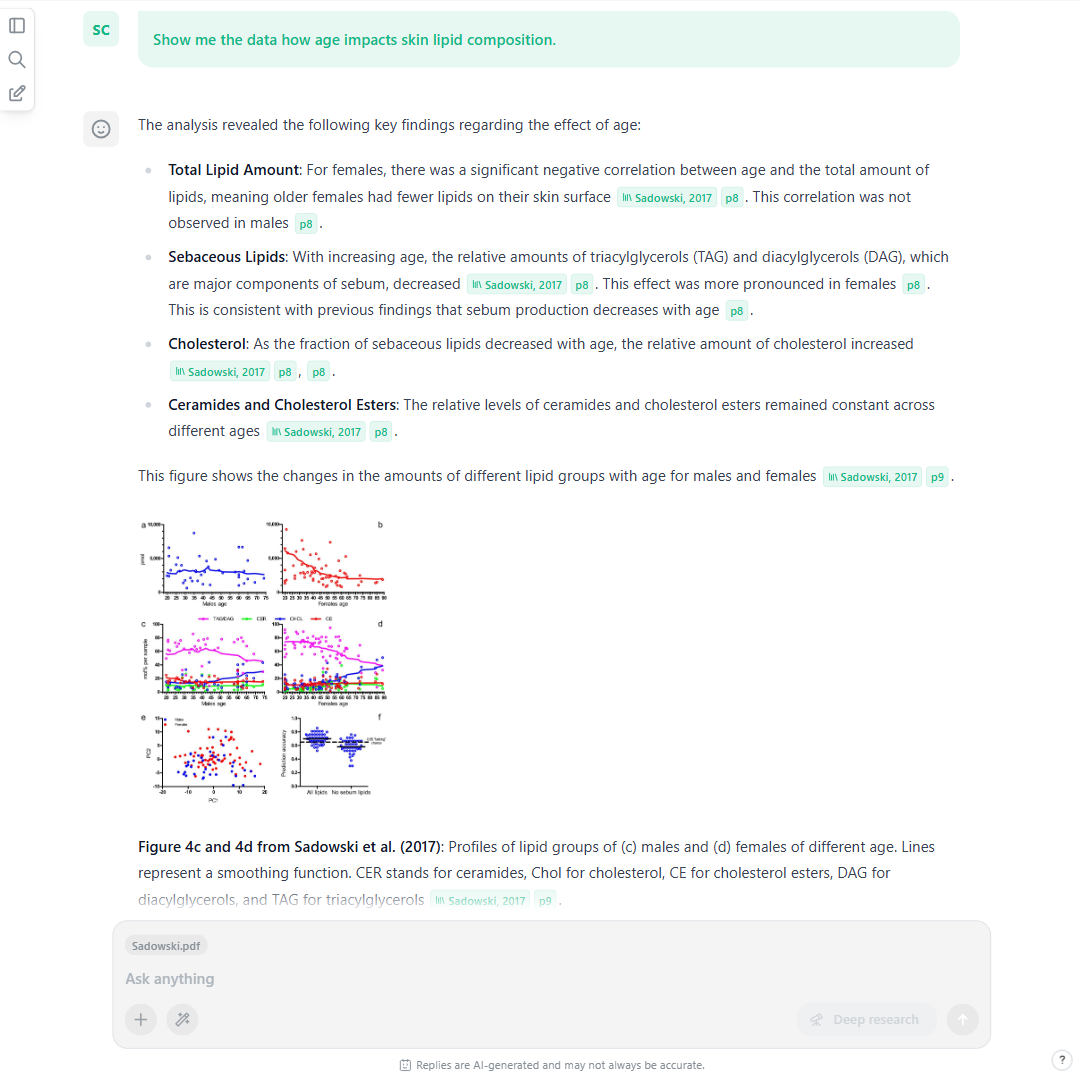
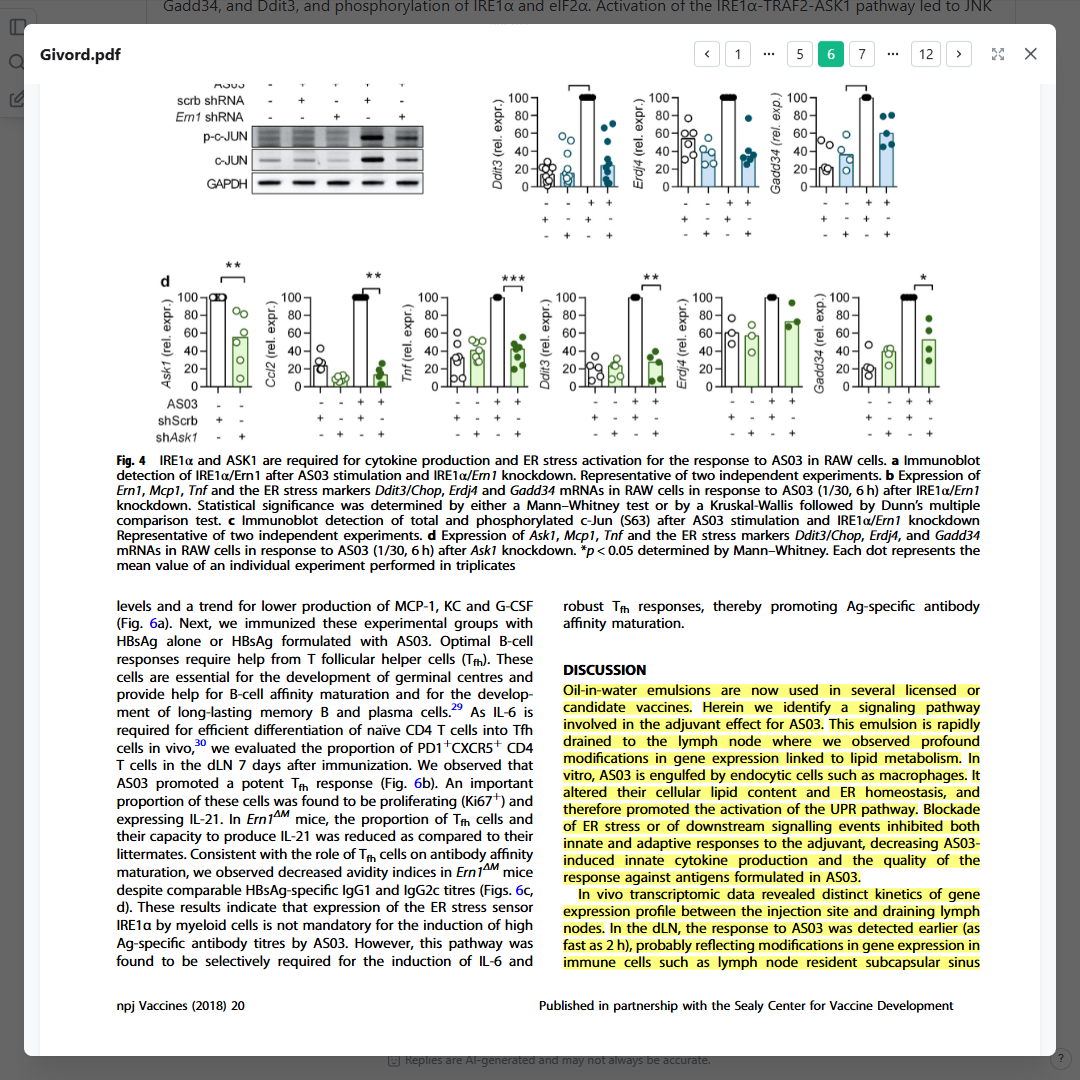
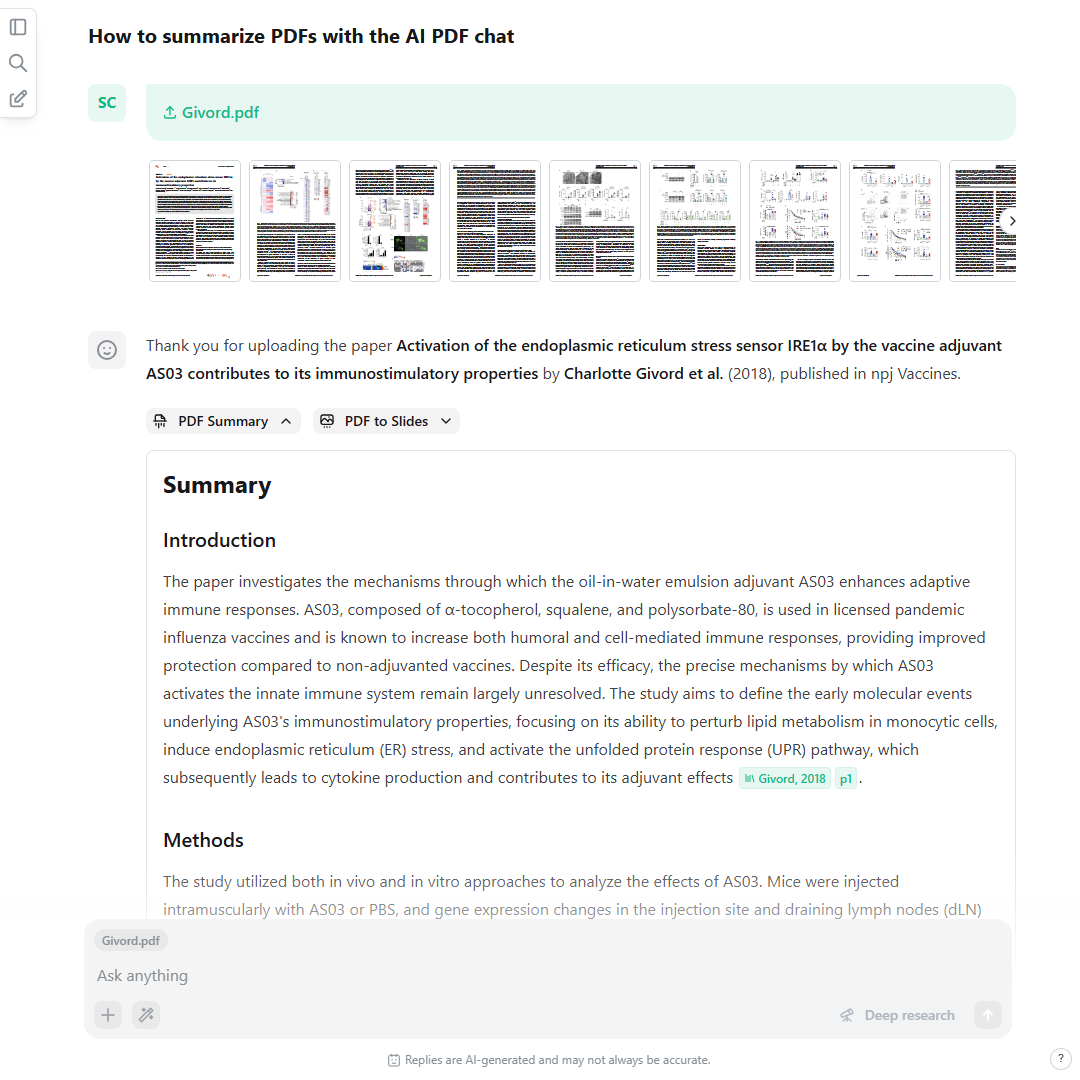
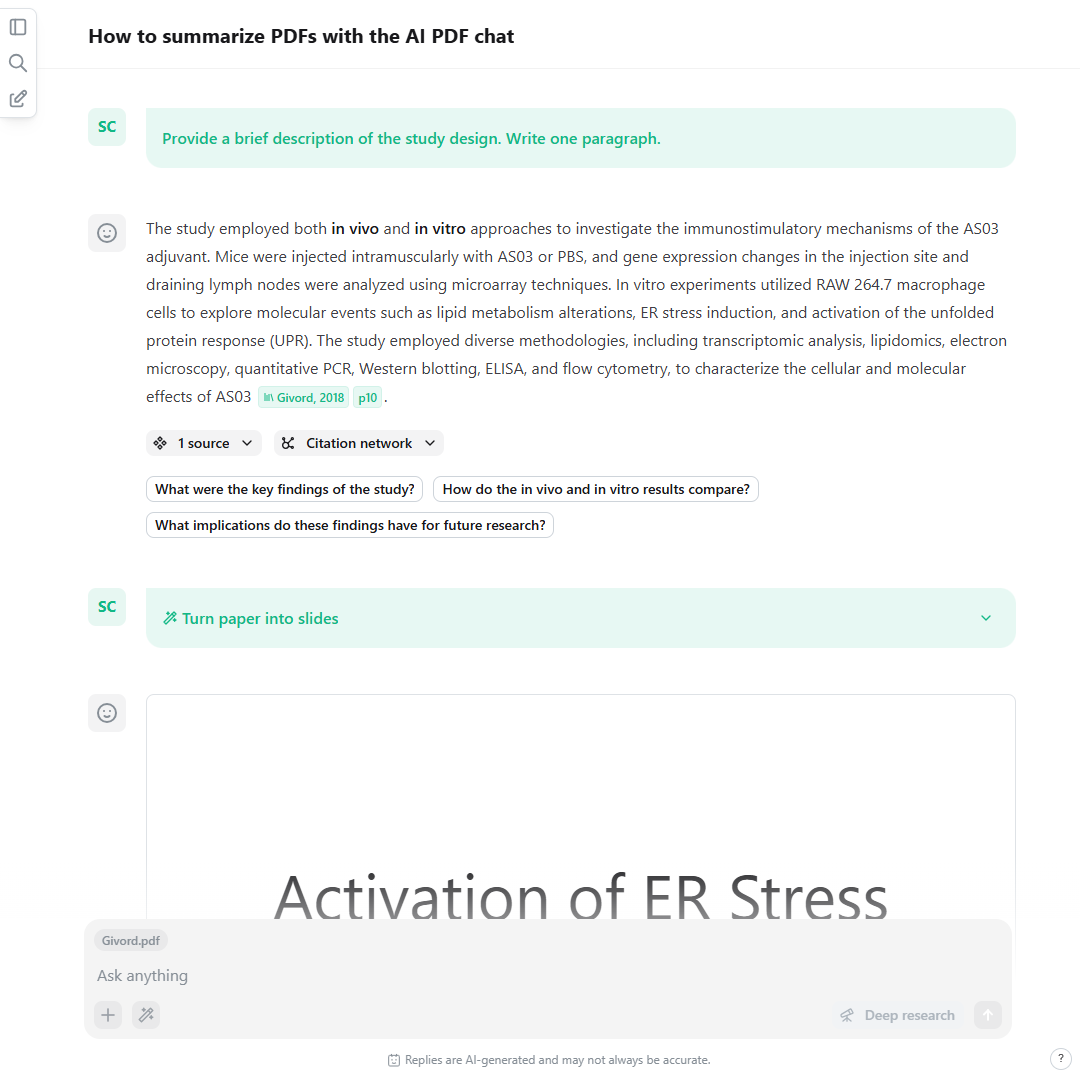
Upload PDFs to your chats. A slideshow showing how scientists can chat with PDFs, generate 1-click summaries, and how the AI PDF chatbot references individual paragraphs.
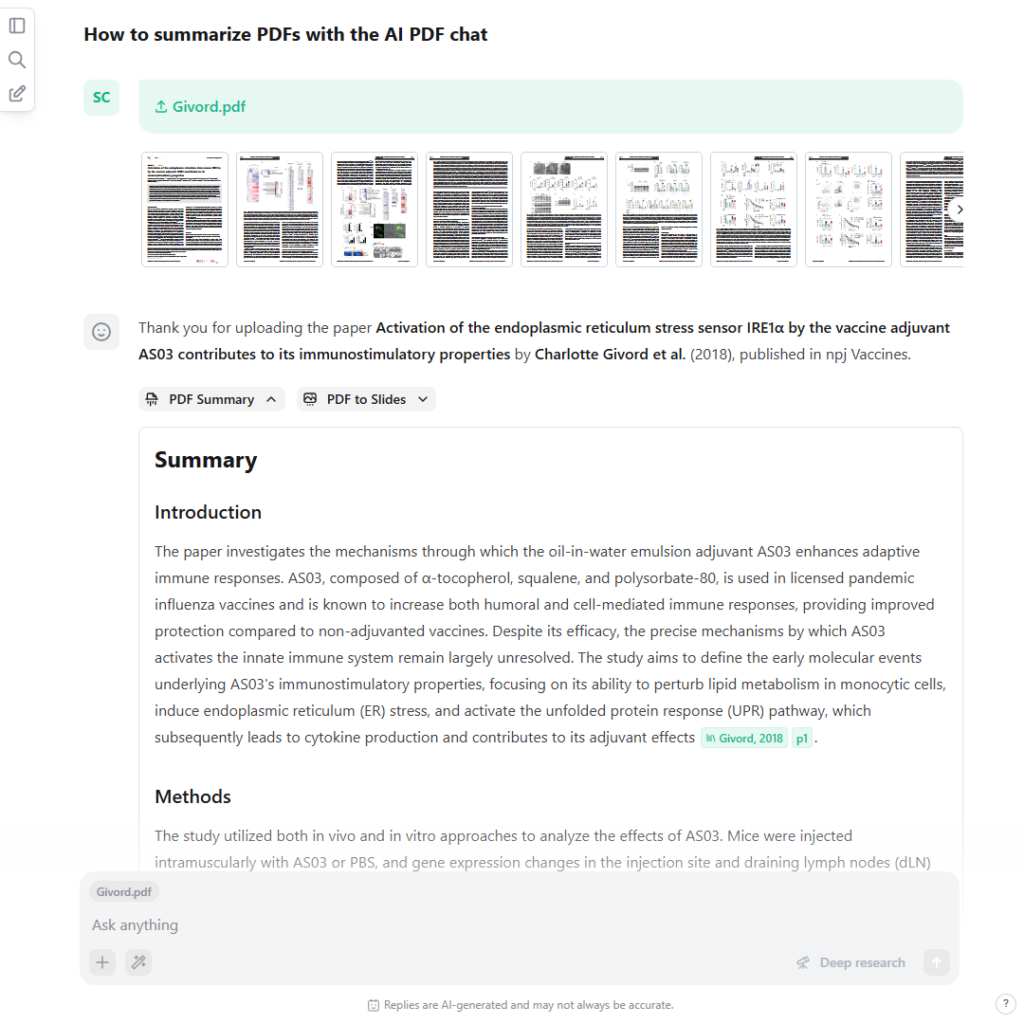
Upload PDFs to your chats. A screenshot showing how scientists can chat with PDFs, generate 1-click summaries, and how the AI PDF chatbot references individual paragraphs.
For researchers working with larger literature collections, scienceOS also provides a built-in AI reference manager that extends the PDF chat experience beyond single-session document analysis.
While you can upload up to eight PDFs directly into a chat for quick analysis, the reference manager acts as a research library where you can store and organize up to 4,000 sources for deeper exploration and long-term projects. You can add a BibTeX export of your reference manager, import from your Zotero web library and desktop app, from JabRef, or upload PDFs from your device. Uploaded papers, protocols, and research documents can be used as context for advanced research tasks, allowing you to chat with your literature collection without manually re-uploading files.
Chat with your literature collection. A brief video showing how to import PDFs to the AI reference manager, generate deep research reports based on your full-text papers, and combine your library with the AI science chat to critically review your drafts.
The AI reference manager is especially powerful for writing tasks. For example, you can upload a set of 60 full-text papers to your library and create a project that contains these papers to draft an introduction for a grant application, drawing insights directly from your literature collection. Once your draft is ready, you can use the AI Action “Critical review,” which instructs the AI research agent to search for literature outside your library and review your work.
The AI project manager
Beyond storing and organizing literature, scienceOS also helps structure entire research workflows. The AI project manager provides a dedicated environment for organizing sources, chats, and insights within meaningful research spaces. It helps bring clarity and direction to scientific projects by keeping all relevant context in one place.
Within each project, you can structure your research into focused contexts, ground AI answers in selected literature or datasets, and save annotated findings as you explore new ideas. This makes it easier to maintain coherence across long-term research tasks without losing track of important discoveries.
Collaborating with colleagues. A brief video showing how to invite colleagues to a project, contribute insights to it as a team, and create tasks for other project members.
ScienceOS also supports collaborative research. You can invite colleagues to your projects, share insights, and build on each other’s contributions inside a shared workspace. Whether you are preparing a paper, planning an experiment, or developing new hypotheses, the AI project manager helps you stay aligned, productive, and focused on what matters most
Beyond keywords and semantics
The scienceOS database does not only contain 230 M research documents but also 2.4 B reference data pairs. These reference data pairs are used for two additional features in the scienceOS research agent:
- Citation networks
ScienceOS can also create free citation networks, knowledge graphs that highlight how papers are referencing each other. This is particularly helpful to identify foundational and subsequent papers. - Consensus analyses
Further, scienceOS can also analyze how a paper has been cited and group the citation quotes into three categories: supporting, mentioning, and contrasting. A citation analysis helps you understand how an identified publication is perceived by other existing research.
Reference data analysis goes beyond keywords. A short video showing citation networks to find related papers and a summary of the consensus analysis.
The reference analyses tools of scienceOS help you go beyond keywords and understand relationships between research papers.
Try scienceOS yourself
With these tools, the AI research agent scienceOS is designed to support research efficiency. Whether you are conducting literature reviews, managing references, analyzing research papers, or preparing a lecture series, its AI-powered features save time and enhance your scientific workflow in a trustworthy environment. Start exploring scienceOS for free and see how it can support your scientific work.