

The Avram Update makes your scienceOS library more flexible: you can now import sources from PDFs, local folders, Zotero (desktop and web), and DOIs, and export sources again when you want to continue working in other research tools.
Research libraries are rarely built all at once; they usually grow out of existing collections, older workflows, and material spread across different tools. The updated library is designed with that reality in mind, making it easier to bring sources into scienceOS from Zotero and local folders, so researchers can build on the collections they already trust.
At the same time, a library is not only a place where research enters, but also a place where it can be carried onward in a form that remains useful. With the new export options, curated sources can be moved out again in formats that preserve context and keep the collection usable beyond the platform itself.
In practice, that means you can now move more smoothly between scienceOS and the rest of your research workflow. Here are two practical ways to use the updated library in your research.
Upload and chat with 4,000 PDFs.
Uploading and chatting with thousands of your PDFs creates a trusted, searchable knowledge base, making it easier to find key insights without sifting through endless documents.
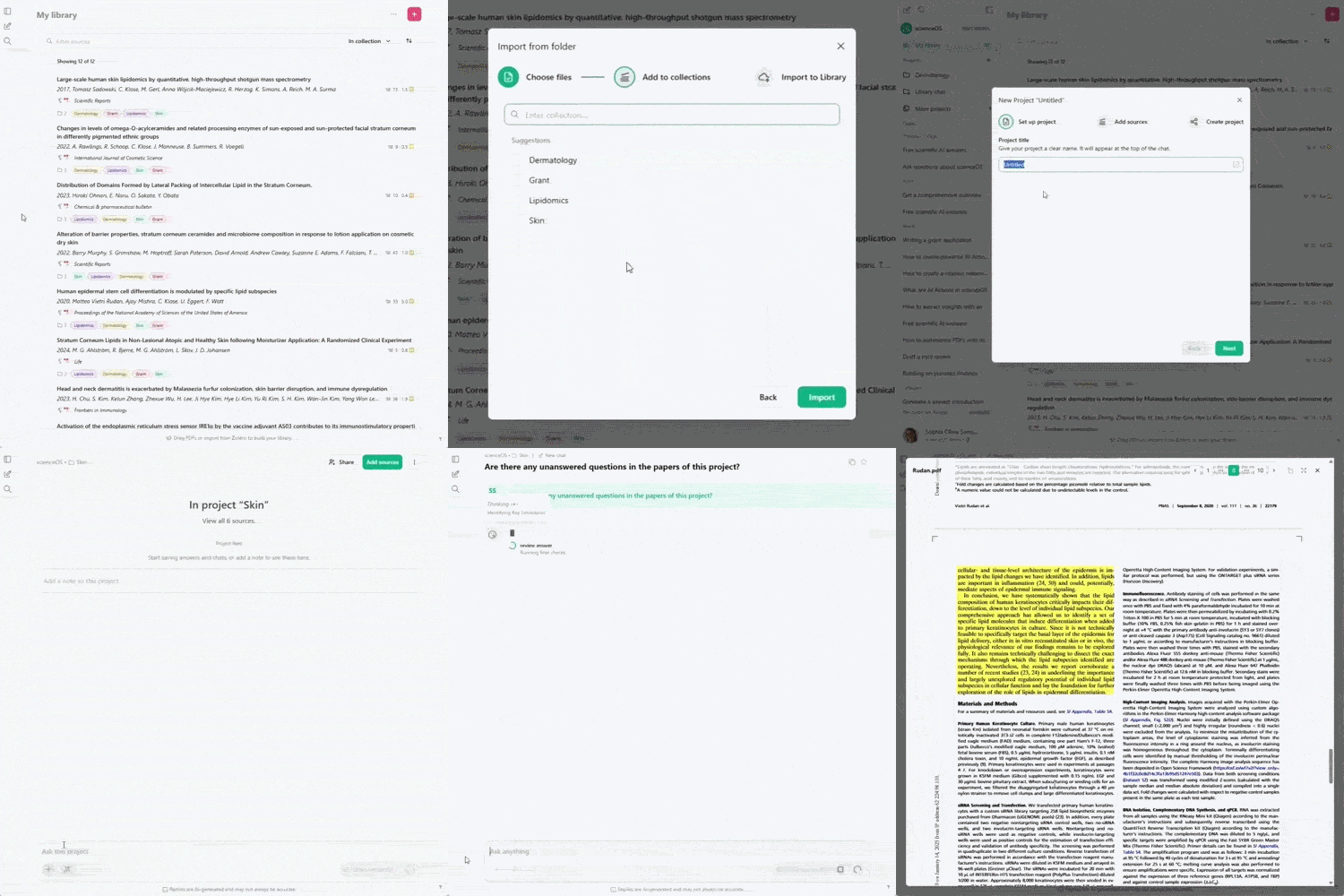
Instead of manually tracking information across folders, files, and notes, you can quickly surface relevant findings, compare evidence across studies, and revisit important concepts whenever you need them.
This is especially valuable when preparing a paper, verifying details, or exploring new research questions with confidence in the sources you rely on.
Export sources from your library.
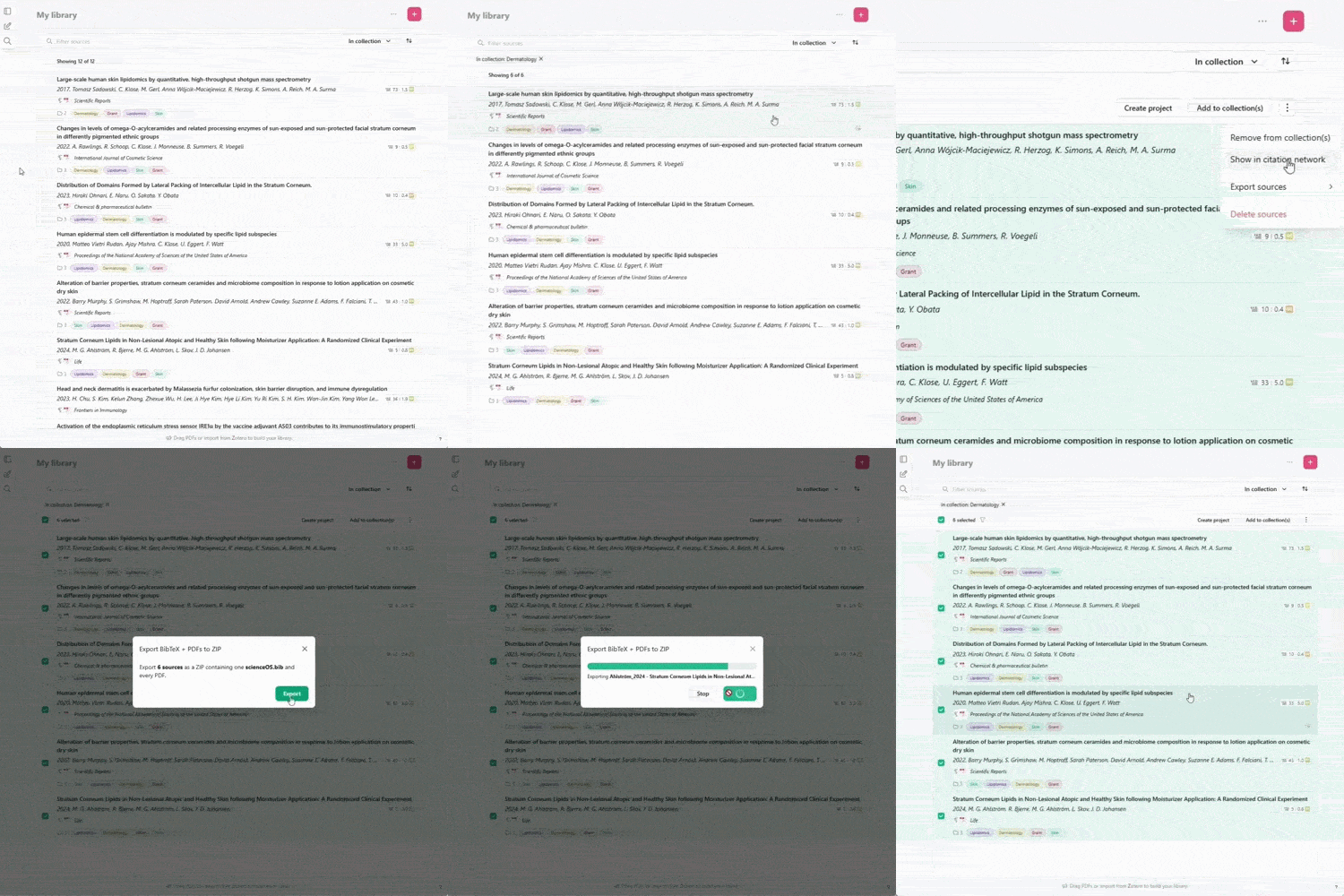
Researchers rarely work within a single software environment. Export capabilities help ensure that literature and related materials remain accessible beyond a single platform, allowing researchers to continue working in the tools and workflows that best fit their needs.
Interoperability is especially important when preparing manuscripts, reports, and other scholarly outputs. By enabling direct transfer of references, metadata, and documents, export features reduce manual work while supporting the long-term portability and reuse of research collections.
Interoperability is especially important when preparing manuscripts, reports, and other scholarly outputs. By enabling direct transfer of references, metadata, and documents, export features reduce manual work while supporting the long-term portability and reuse of research collections.
Why Avram Update?
This update of scienceOS is dedicated to Henriette Avram, who pioneered machine-readable cataloging and laid the foundation for modern digital libraries. She showed how scientific knowledge becomes more useful when it is structured, organized, and easily exchanged, enabling researchers and libraries to build, manage, and share collections at scale.
Compose research tasks.
You can now bring your research context directly into the chat bar by adding AI Actions, referencing sources, and choosing the right model for each task.
Research tasks are shaped not only by the questions researchers ask, but also by the material, workflows, and level of analysis they require. A researcher may want to analyze a specific paper, apply a recurring workflow, or approach a question with a particular level of depth.
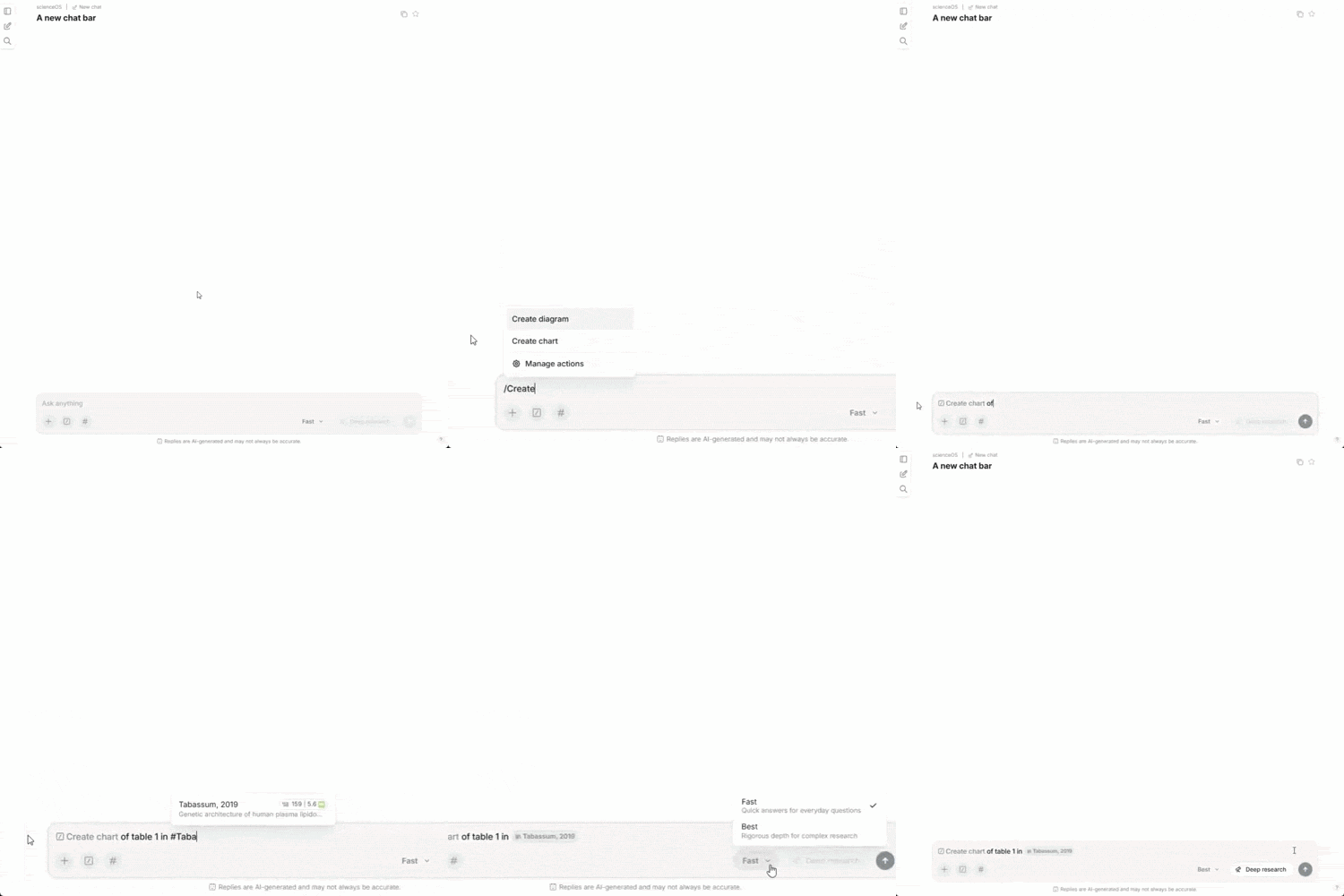
Previously, preparing such tasks often required several steps: setting up the necessary context in the chat, triggering an AI Action separately, and working with the model available for the account.
This is why the updated chat bar brings more of the research process directly into the conversation: sources, workflows, and model selection can now be combined where questions are formed.
The result is a more deliberate interaction with scienceOS, where answers are grounded in the context and approach chosen by the researcher.
Quality-of-life improvements & fixes.
We implemented several quality-of-life improvements, including higher import limits, a more powerful PDF viewer and a consolidated source popup, and fixed some bugs.
Improvements
- Increased bulk upload limits for multi-license users (1000 files)
- Added higher page limits for multi-license users (1024 pages per file)
- Improved the error messages for failed imports
- Made the PDF side panel viewer resizable
- Removed the unlisted area in the library (all uploads are now added to the library)
- Added a menu to rename and colorize collections
- Implemented a search and zoom function into the PDF viewer
- Removed tabs from the source popup for quick access to all information
- The source popup now shows which projects a source belongs to
- Added the option to load older chats into the sidebar
- The sidebar now shows which plan a user is subscribed to
- If applicable, the sidebar shows the remaining AI model usage
Fixes
- Fixed a bug where the AI could not filter for collections if the library contained only one collection
- Made the search tool more robust to deal better with multi-filter querries
- For sources with unusual citation labels, reading the full text sometimes failed
- Restored the capability to tag users in shared projects
- Stopped the Zotero importer from crashing when importing sources with free-form publication dates
- Fixed a bug where chats/answers with diagrams could not be copied
- Made the “PDF to slides” button more robust
- Re-instated truncation of breadcrumbs for mobile devices